
Download App

When a bus is sold out, join the waitlist in the Boxcar app. If a seat opens up, we book it for you automatically - no need to keep checking.
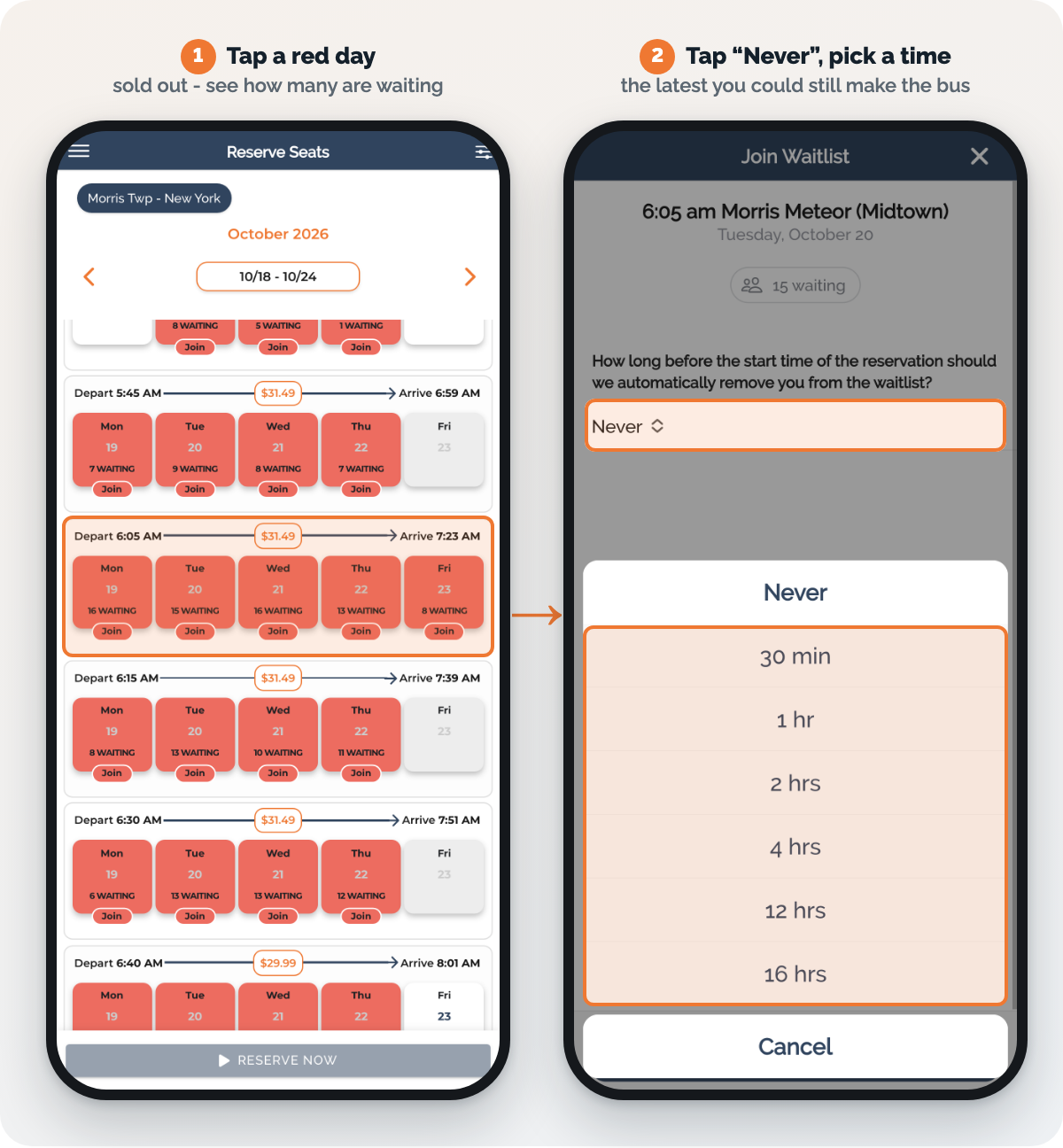
When you join a waitlist, the app asks: "How long before the start time of the reservation should we automatically remove you from the waitlist?" It starts on Never.
On Never, you stay in line right up until the bus leaves - so if a seat opens up at the last minute, we'll book it and charge your card, even if you've already made other plans.
Change it to the latest you could still realistically make the bus:
| 30 min or 1 hr | you live close to your stop and can head out on short notice |
| 2 hrs or 4 hrs | you need some time to get ready |
| 12 hrs or 16 hrs | you want to know the night before |
Once you pick a time, the app shows exactly when you'll come off the list. If a seat hasn't opened by then, you're simply removed - no booking, no charge.
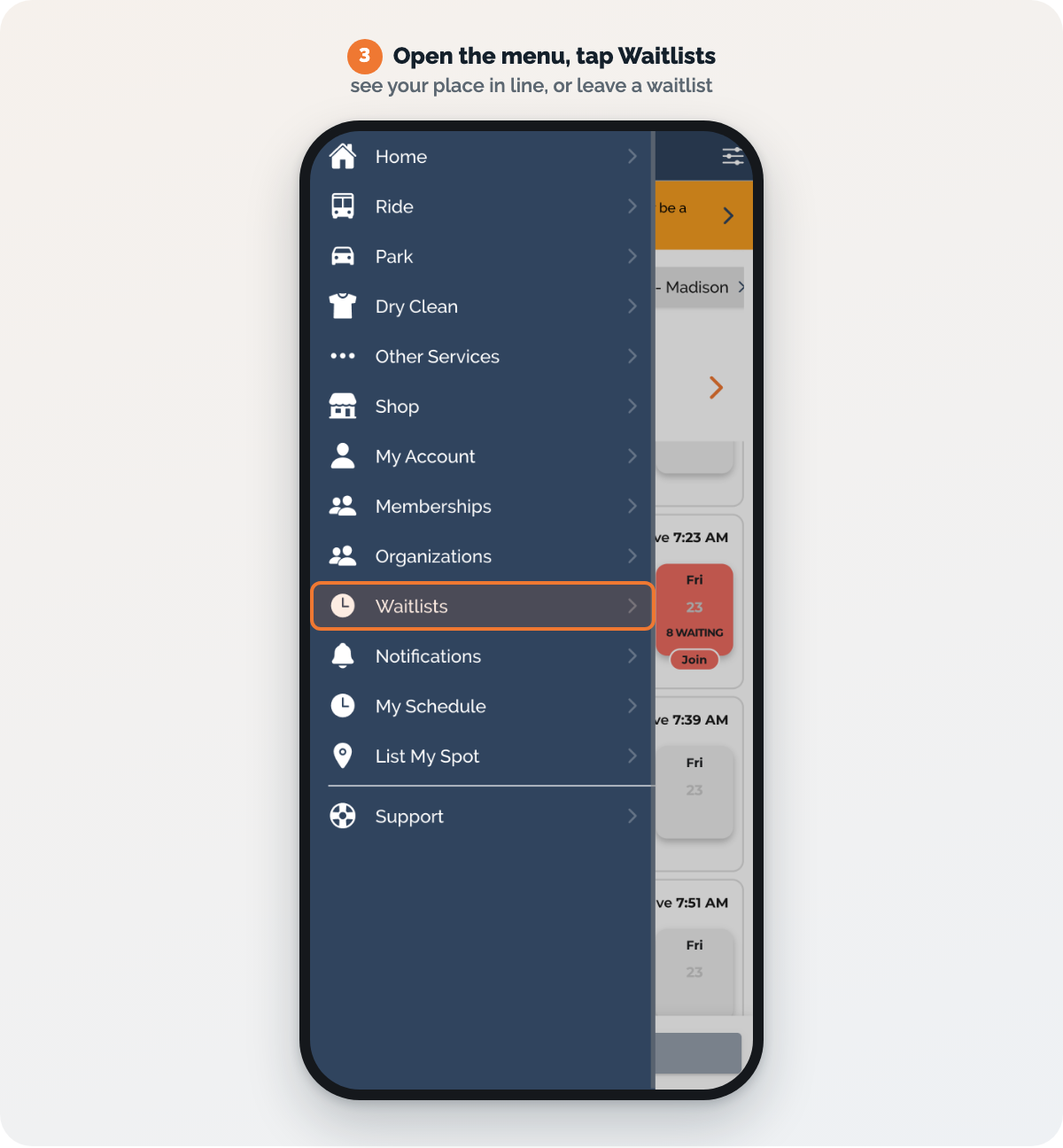
Each day you can hold 2 waitlist spots in each direction - two seats on the same bus (handy if you ride with a kid or a partner), or one seat on each of two buses. If you already have a seat booked in that direction, you can add one.
A seat booked from the waitlist is a regular reservation, so our usual cancellation policy applies.
Members go to the front of every waitlist, ahead of non-members, and longer-standing members come first. In a recent week:
A Commuter membership is $39.99 a month and also takes a third off every bus ticket. Sign up in the app under Menu > Memberships.
See membership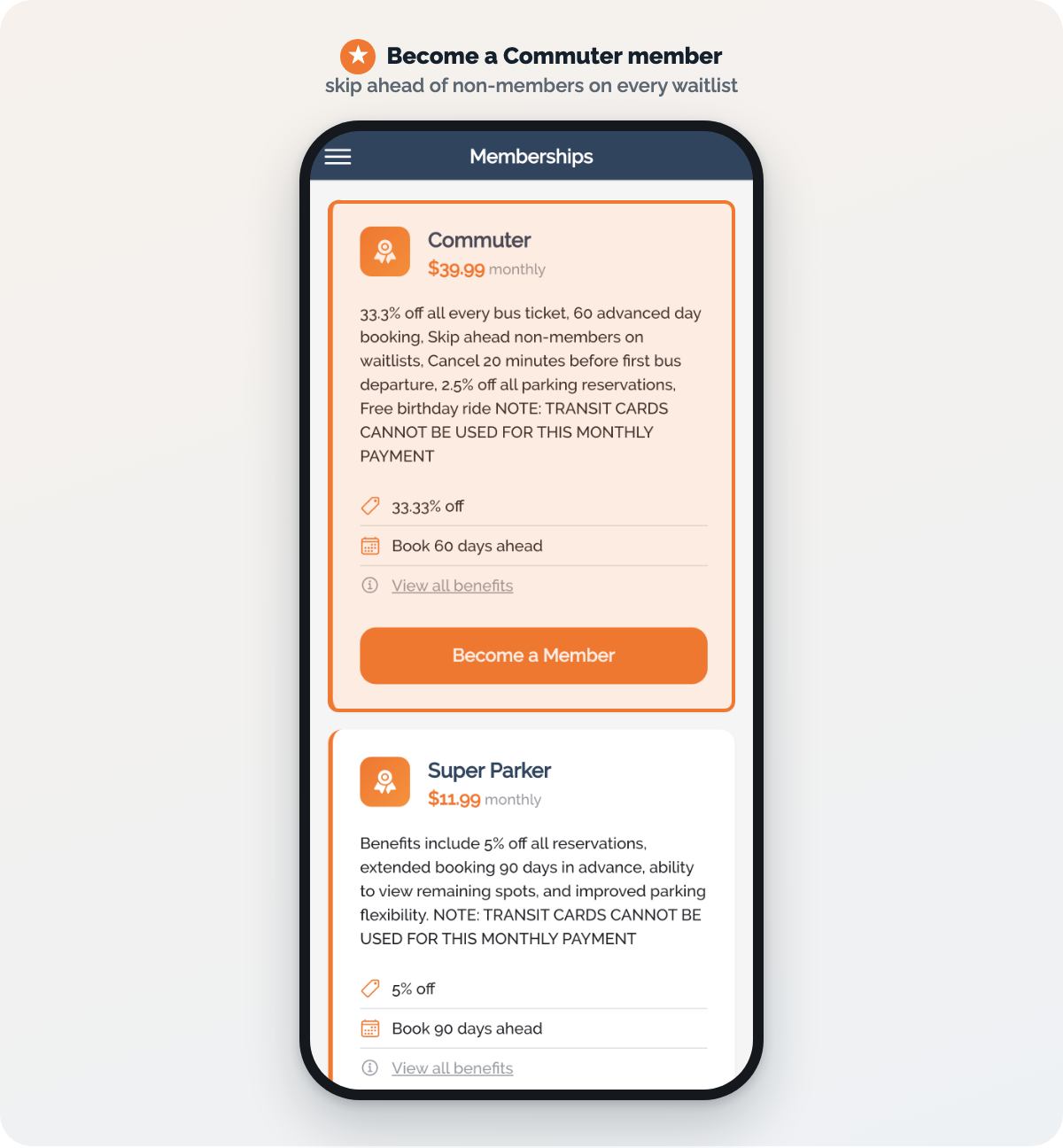
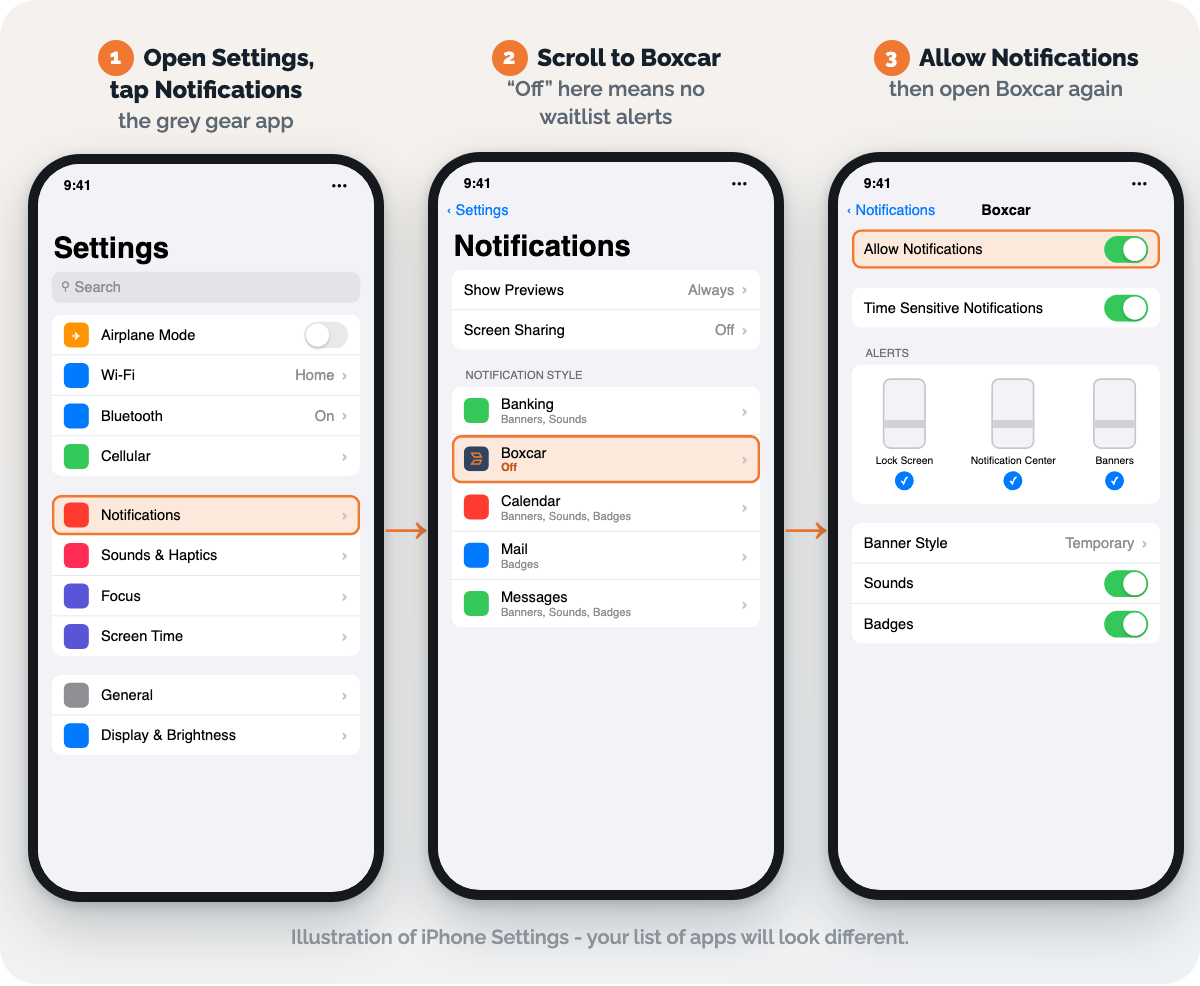
When we book your seat from a waitlist, we tell you with an app notification (and an email confirmation). If app notifications are switched off, the first you'll hear of a booking is the email. Turn them on in two places:
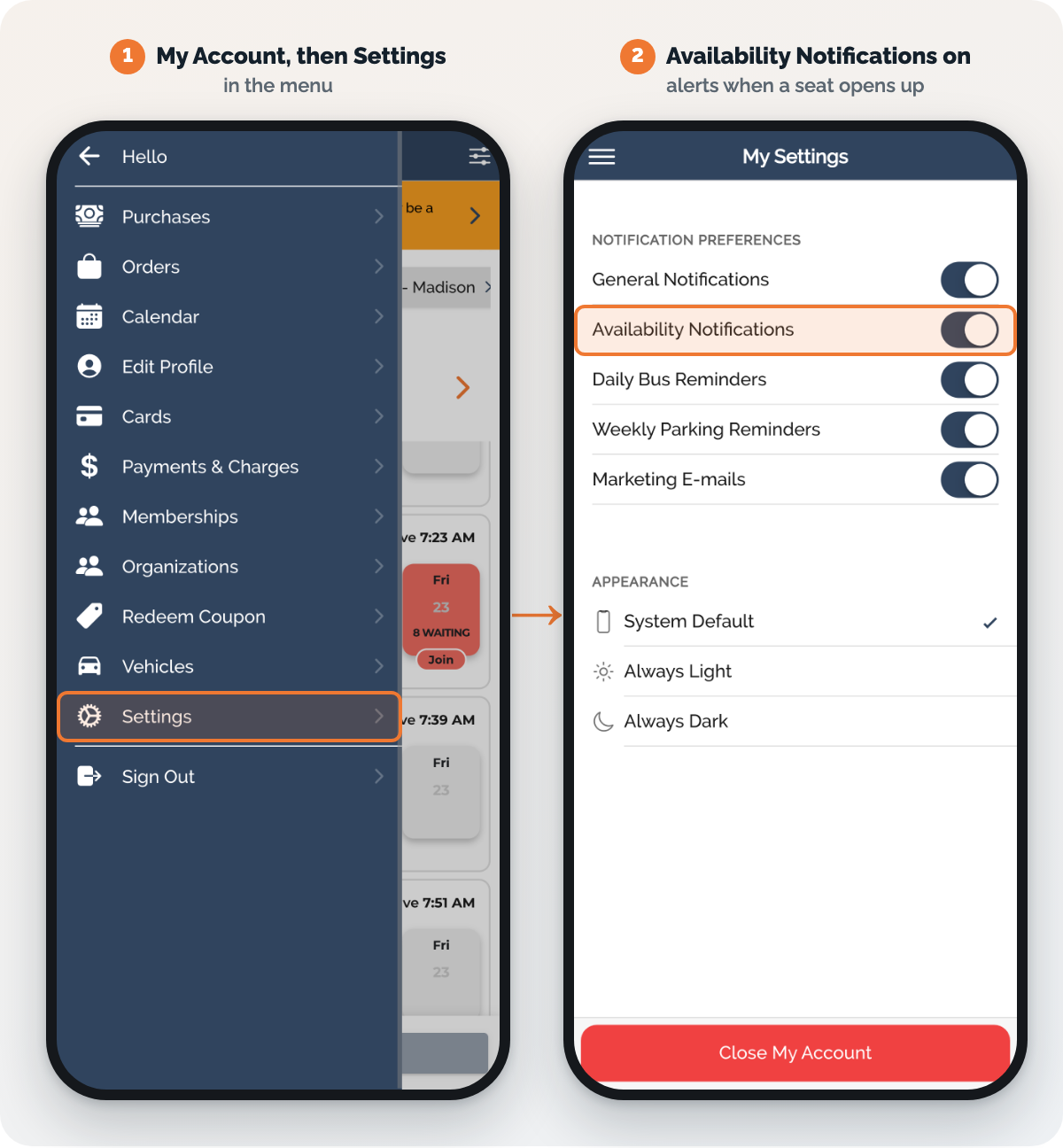
And keep your card up to date (My Account > Cards) - it's what we use to book your seat.
Questions? Email support@boxcar.com or see our FAQs.


